Your devices, together.
Send files, messages and your clipboard between your phone and your computers — straight over your own Wi-Fi. No account. No cloud. Nothing in the middle.
Free and open source, GPL-3.0. Works on Android 8+ and Windows 10/11. Linux and macOS install it with one Terminal command.
What it does
Send files
Pick a file, or share to droplet from any app. It lands in the other device's Downloads, with its real name.
Message your devices
A chat between your own machines. Paste a link on the laptop, open it on the phone.
Share the clipboard
Copy on one device, paste on another.
Ring a lost phone
Loud, through silent mode, and it stops the moment you answer.
Use your phone as a remote
Touchpad, keyboard, volume, media, and a presentation clicker for your computer — or as a Bluetooth mouse and keyboard.
Control the TV
The phone pairs with an Android TV or Google TV and drives it directly.
It works without a server
Straight between devices
Two devices pair by matching a four-digit code, then talk directly over the Wi-Fi with each one checking the other's identity.
Nothing to sign up for
No account, no e-mail, no analytics, no ads. Your files never touch anyone else's computer.
Away from home
Add Tailscale and the same devices reach each other from anywhere, still directly.
What it looks like
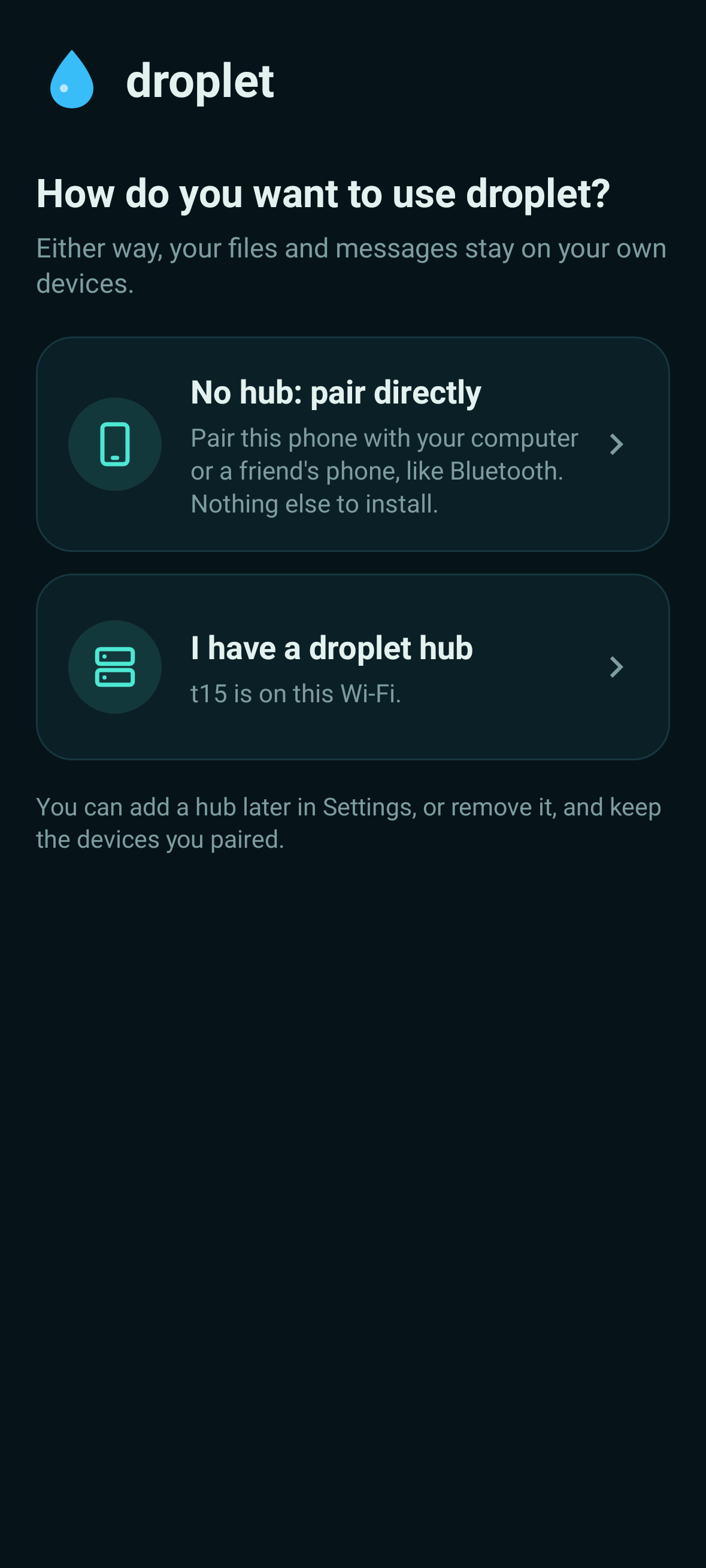
Choose how to use it, on first run.
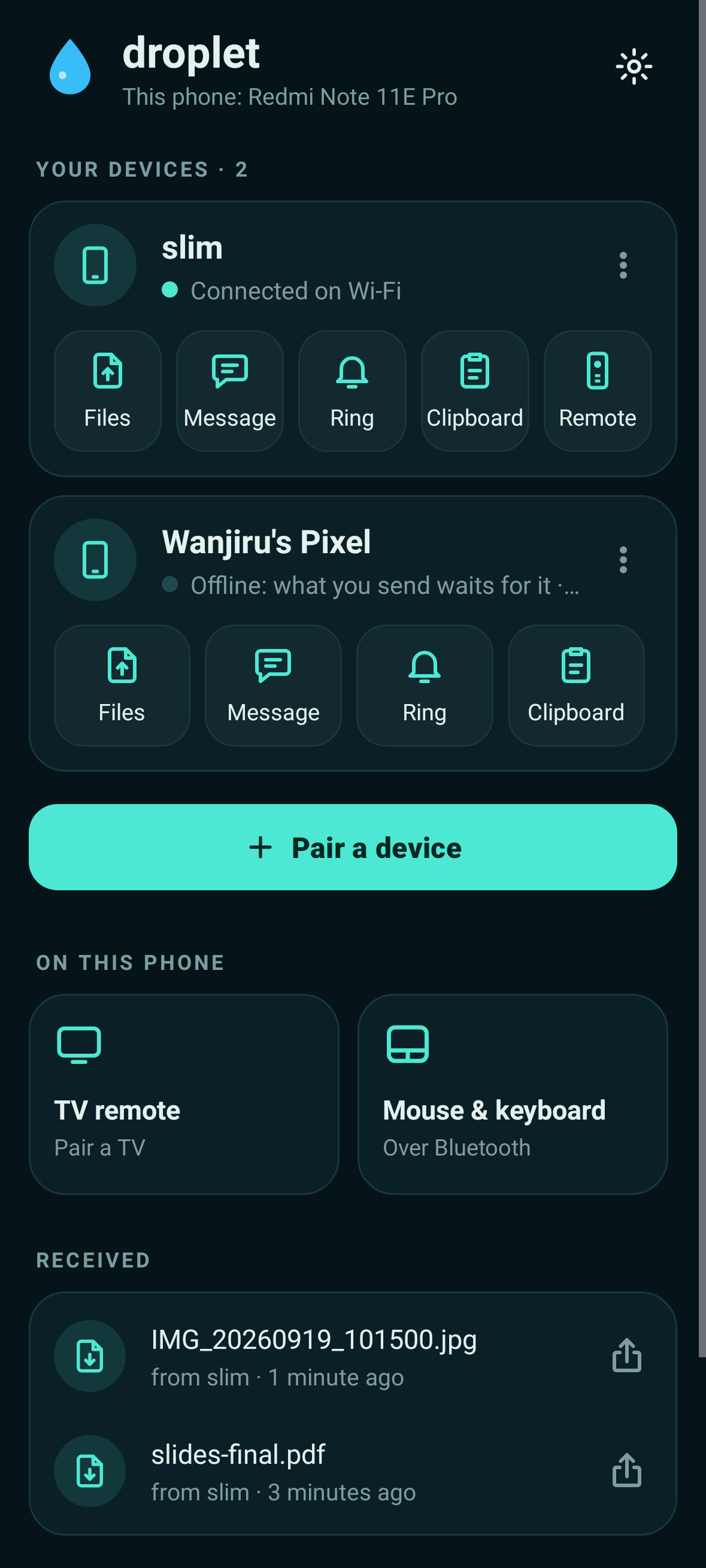
Your devices, and what you can do with each.
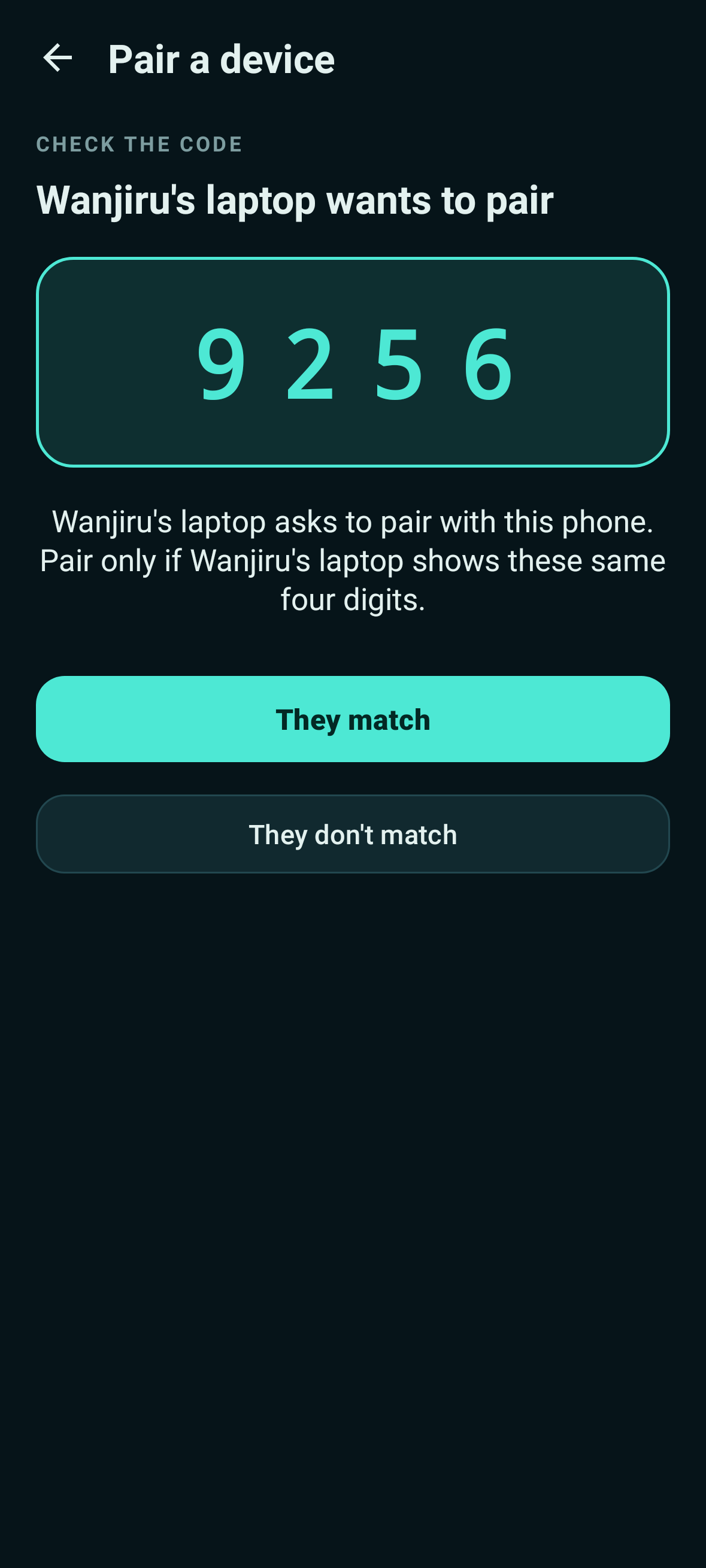
Pairing: check the same four digits.
Getting started
- Install droplet on two devices — the Android app on your phone, the Windows app on your PC.
- Open it and choose “No hub: pair directly”. Give the device a name.
- On one of them, tap Pair a device, pick the other, and check both screens show the same four digits.
- That's it. Send a file.
Both machines will warn you. droplet isn't signed by Microsoft or distributed through Google Play yet, so Windows shows “Windows protected your PC” — click More info, then Run anyway — and Android asks permission to install apps from your browser. You can read every line of the source, and check the file against the published checksums.
Run your own hub (optional)
Leave a spare computer or a Raspberry Pi running droplet's hub and it holds files and messages for devices that are switched off, introduces your devices to each other, and gives you a web page for all of it. Everything above keeps working without it.